
Google AI Overviews monitoring: track your brand and competitors
 By Łukasz Starosta, Founder
Updated
To monitor Google AI Overviews, run the same buyer questions on a schedule and record which brands and competitors each overview names and which sources it shows. PromptScout does this on every plan, including the free check, and keeps AI Overviews results separate from Gemini and ChatGPT. You can then compare your mentions with each competitor's on the same questions over time.
One free check: 3 questions on ChatGPT, Gemini and Google AI Overviews.
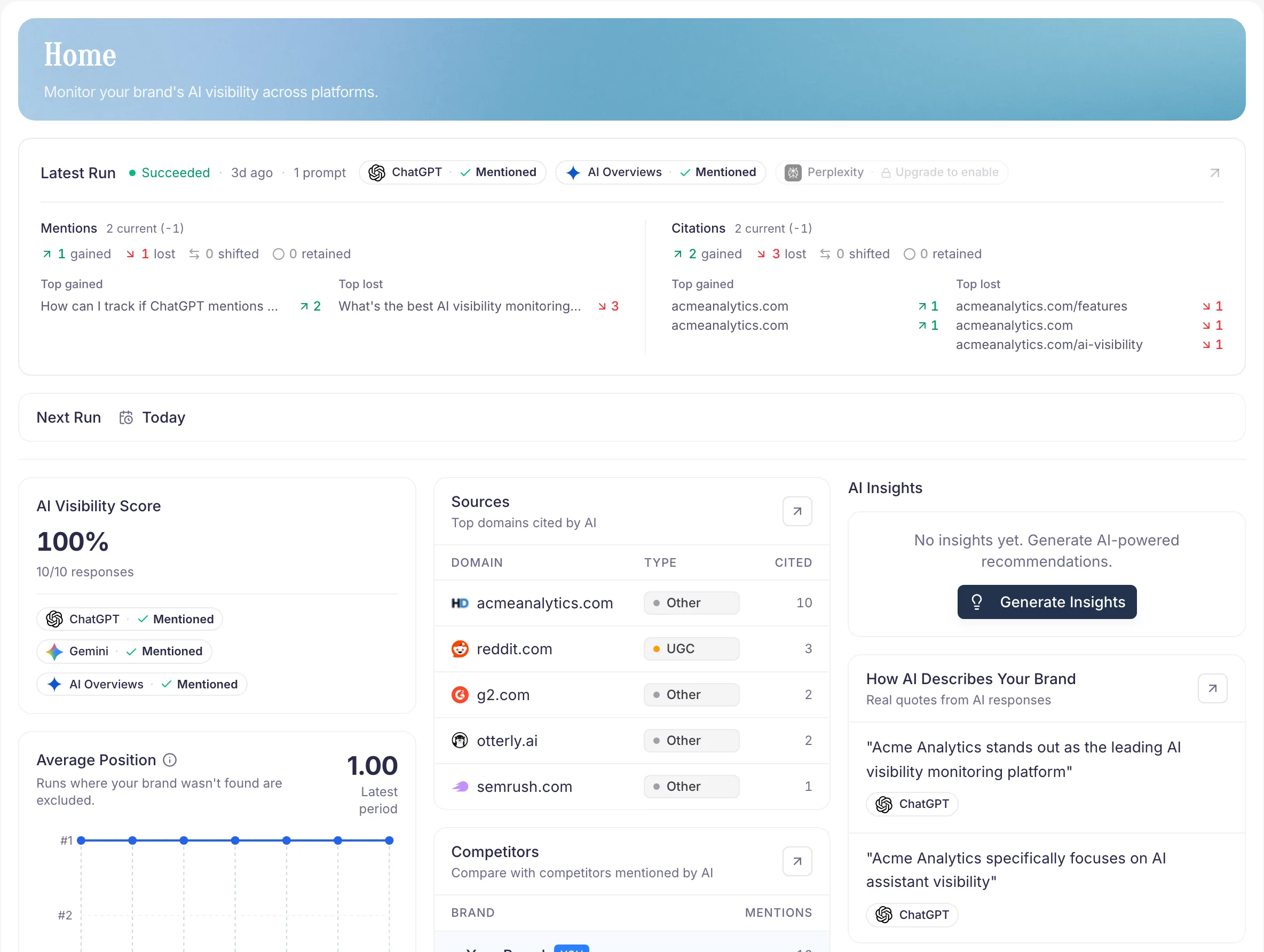
How to Track AI Overviews
Start with a fixed prompt set that reflects buyer, comparison, problem, and how-to intent. Run those checks weekly, keep Google AI Overviews separate from Gemini and other providers, and record the visible answer evidence before deciding what to change.
- Monitor whether an AI Overview appears for each tracked question
- Record brand mentions, competitor mentions, cited sources, and answer position context
- Compare the same prompt set week over week instead of reacting to one search
- Flag prompts where source context changed before assigning content or authority work
What to Monitor in Each Check
AI Overview tracking is useful only when the record is specific enough to support the next action. Keep the provider, query, answer state, mentioned brands, and source context in separate fields so a later review can tell what actually moved.
| Field | Why it matters |
|---|---|
| Prompt and intent | Keeps buyer, comparison, support, and how-to questions from being mixed together. |
| AI Overview presence | Shows whether Google generated an overview for the query during the check. |
| Brand and competitor mentions | Separates your visibility from the competitive set appearing in the same answer. |
| Sources and citations | Identifies which pages or domains Google displays as supporting context. |
| Follow-up action | Turns the observation into a page update, source review, prompt change, or no-action note. |
How Often to Run AI Overview Checks
Use a weekly cadence for normal monitoring and add an extra check after important page changes, launches, or category news. That rhythm is frequent enough to catch meaningful movement while reducing noise from one-off AI Overview variation.
- Run the same monitored questions weekly for trend evidence
- Add a post-change check after publishing important page updates
- Keep short-term volatility separate from confirmed movement across multiple runs
- Use reports and Opportunities to decide what deserves owner attention
How to Interpret Sources and Citations
Treat AI Overview source context as evidence to review, not a guarantee of future inclusion. Compare cited pages with your own page, look for missing facts or clearer explanations, and decide whether the next step is content improvement, source outreach, technical SEO, or no change.
- Check whether cited sources answer the query more directly than your page
- Separate Google AI Overview evidence from Gemini, ChatGPT, and Perplexity results
- Avoid special AI markup or query-sprawl tactics that do not match visible content
- Prioritize useful, crawlable, internally linked pages that satisfy the reader
Related Guides
Explore these guides to learn more about AI visibility, optimization strategies, and best practices.
AI Brand Visibility
Learn the fundamentals of AI visibility and why it matters for brands.
Read guide
Best AI Visibility Tools in 2026
Nine AI visibility tools side by side: starting price, entry plan, engines and free options, with dated sources.
Explore feature
ChatGPT Brand Tracker
Monitor configured ChatGPT prompts over time and compare brand mentions against competitors.
Explore feature
ChatGPT Brand Tracker
Practical setup for tracking brand mentions and recommendations in ChatGPT.
Read guide
PromptScout Workflow Overview
See how brand setup, prompts, monitoring, sources, insights, website audits, content briefs, and reports connect.
Read guide
PromptScout for Agencies
Package multi-brand AI visibility monitoring for client reporting across supported providers.
See pricing or create account
Frequently Asked Questions
Can PromptScout guarantee AI Overview citations?
No. PromptScout monitors configured prompts and records observed AI Overview evidence. It does not guarantee Google will show an AI Overview, cite a page, or improve a ranking.
Should AI Overview tracking be separate from Gemini tracking?
Yes. Google AI Overviews are a Google Search surface, while Gemini is a separate AI assistant experience. Keep both in provider-level reporting so source context and answer changes are not blended.
How do I track competitor mentions in Google AI Overviews?
Add your main competitors and track the questions where buyers compare options. Each run records which brands the AI Overview names, so you can compare your mentions with each competitor's on the same questions.
What are the best tools for monitoring AI Overviews?
Look for a tool that runs your questions on a schedule, keeps Google AI Overviews separate from other AI providers, and saves the brands and sources each overview shows. Our guide to AI visibility tools compares nine tools, including which AI engines each one covers.
Related Features
AI Citation & Source Tracking
AI citation tracking shows which pages AI answers cite for your buyer questions, grouped by domain, provider and page type. Included from Starter.
Explore AI Citation & Source TrackingAI Brand Visibility Score
Track your AI brand visibility score over time. Measure mentions, provider differences, competitor context, and visibility movement across key questions.
Explore AI Brand Visibility ScoreCompetitor Tracking
AI competitor tracking shows which competitors ChatGPT, Gemini and other AI answers name for your buyer questions, with share of voice. From Starter.
Explore Competitor Tracking