
Traffic
 By Łukasz Starosta, Founder
Traffic is a beta surface for Growth and higher teams that need to see which AI referral visits, AI user fetches, and crawler events are reaching their website.
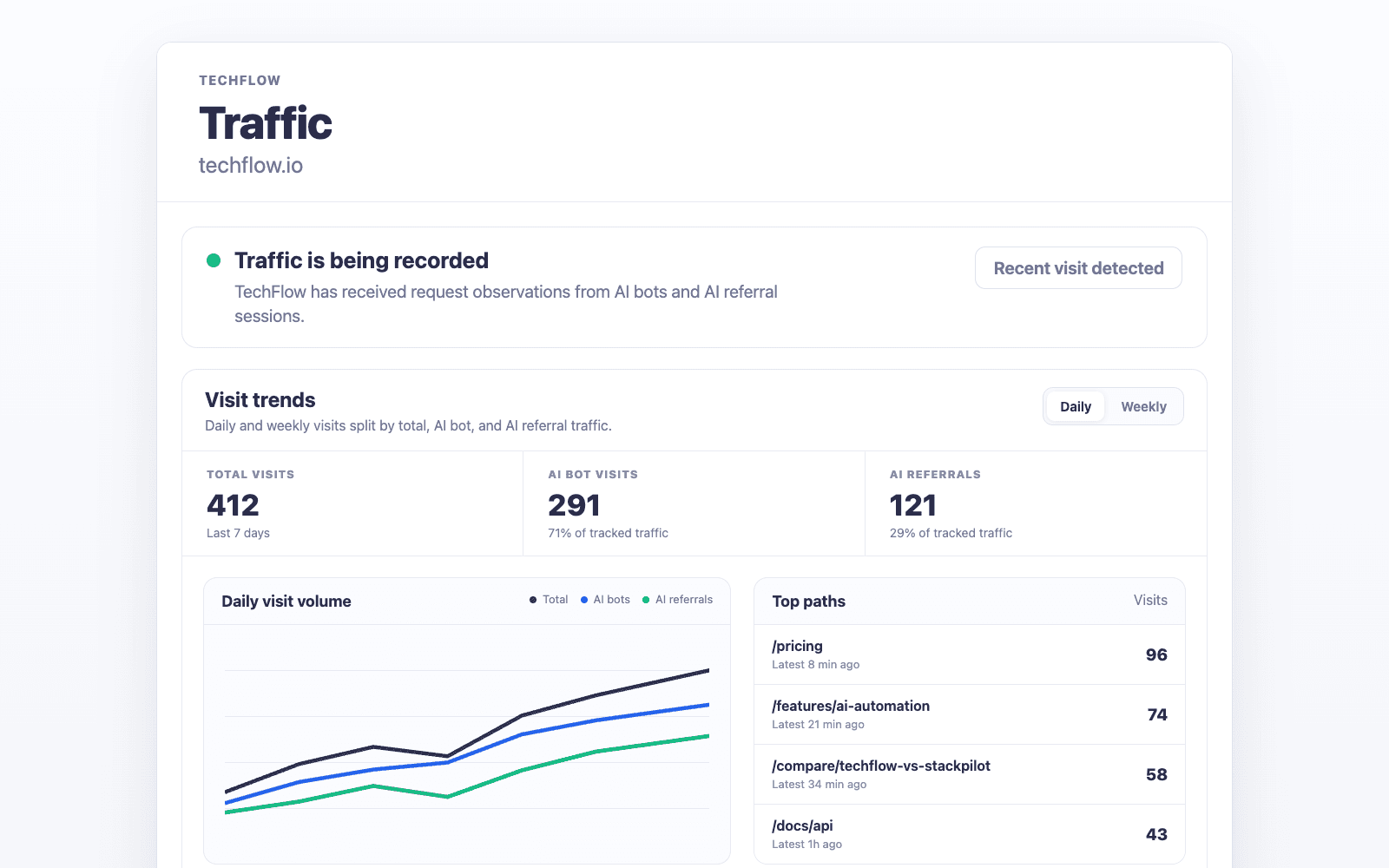
Separate Visits from Request Observations
Traffic keeps browser referral visits separate from provider user-agent fetches and crawler events so your team can see what actually reached the site after the collector is installed.
- Measure AI referral visits only when referral or safe landing attribution supports it
- Track AI user fetches as request observations, not human sessions
- Track AI search crawlers and training crawlers as machine access
- Review recent systems, paths, and referrers as traffic builds
Beta Setup Through Integrations
Traffic setup starts in the dashboard Integrations page. The beta is available on Growth and higher plans, and teams can contact lukasz@promptscout.app for setup help.
- Use the Integrations page to choose the collector path for your website
- Install the collector once with the site-scoped token
- Confirm setup with status checks and the first real Traffic events
- Ask for setup help when your stack needs a custom path
Frequently asked questions
What does Traffic measure?
Traffic measures AI referral browser visits, AI user fetch request observations, and crawler events observed by an installed collector. It does not add fake visits or estimate traffic without collector data.
Who can use Traffic during beta?
Traffic is available on Growth and higher plans during beta. Free and Starter users can see that the feature exists before upgrading.
Related Features
AI Brand Monitoring
Track brand mentions in AI answers with PromptScout. Review answer context, competitors, and provider results over time. Included from the Starter plan.
Explore AI Brand MonitoringMulti-Provider AI Monitoring
Monitor your brand across ChatGPT, Gemini, Google AI Overviews, and Perplexity from one dashboard. Compare provider coverage, answers, and trend changes.
Explore Multi-Provider AI MonitoringAI Citation & Source Tracking
Inspect source URLs, displayed citations, recurring domains, and page types in monitored AI answers. Review brand context with PromptScout, starting on Starter.
Explore AI Citation & Source Tracking