
PromptScout Blog
Which Sources Describe Your Brand in Google AI Overviews?
Audit the outside sources linked in Google AI Overviews about your brand. Check page ownership, outdated facts, and who can make a supported correction.
Published

Founder
Building PromptScout to help teams understand how AI assistants cite, mention, and recommend their brands.
Your brand in AI answers
See where AI recommends your competitors.
Start with a free visibility check. Paid plans add monitoring; Growth adds Opportunities.
Paid monitoring: ChatGPT Gemini AI Overviews Perplexity Bing Copilot
Google AI Overviews can describe your brand using pages beyond your website. Open the displayed source links, check who controls each page, and compare important claims with current product documentation. Correct the pages you control and send evidence to the owners of others. Recheck the same searches to see whether the description changes.
Summary
A brand-name search deserves a different review from a category search. Someone searching your company may already know what you sell and want to confirm an integration, service area or product limitation. An outdated description can leave that person with the wrong impression before they reach your website.
Start with the sources attached to the actual Google result. A YouTube link might lead to your own channel, an independent reviewer or a reseller. A LinkedIn link might belong to your company or someone discussing it. The domain alone doesn't tell you who can correct the page. Keep a short record of the claim, the source owner and the current fact. That gives your team a specific task instead of a general instruction to improve visibility.
Branded searches now deserve a source review
Ahrefs' October 2 research found AI Overviews on 82.91% of US desktop results for branded keywords at its September checkpoint. Its separate panel of exact brand-name searches frequently linked to Wikipedia, YouTube and LinkedIn.
Those are different samples. The headline rate doesn't describe every small business, country or device, and the source panel doesn't establish that outside pages contain errors. It gives marketers a reason to inspect the pages describing their own brand. For ongoing collection and Search Console reporting, use the Google AI Overviews monitoring guide.
Start with a buying-critical fact
Choose a search naming your brand and a fact that could change a buyer's decision. For an appointment-software company, that might be support for recurring bookings. For a local agency, it might be the area it serves. A bare brand name can reveal a broad description; a brand-plus-feature search tests a narrower question. Record these as separate searches so you can repeat the same wording later.
Save the date, market, language and device alongside a capture of the result. If Google shows no AI Overview, record that outcome. If the check fails, record it as unavailable. A Gemini conversation can't stand in for a Google results page, and an AI Mode follow-up is a separate observation. These distinctions keep a later comparison useful without turning the audit into a large research project.
Read the answer before opening its links. Highlight a concrete claim, such as an available integration or a geographic restriction. Descriptions like “popular” rarely give you a correction you can substantiate. Start where the answer could mislead someone about what the product does, who can use it or what it excludes.
Source-owner checklist
Open the exact page shown in the source link. Check its author, account owner, publication date and relevant wording. A link beside a sentence is a starting point for inspection; it doesn't prove that the page supports every part of that sentence. If the source doesn't contain the claimed fact, keep that mismatch in your notes rather than assuming the publisher wrote it.
Use the owner to choose the next action:
| Source you find | What to check | Available action |
|---|---|---|
| Your website or company-controlled profile | Current fact, visible wording and consistency with documentation | Correct the page you control and record the edit date |
| Independent review or comparison page | Whether its description was accurate when published and is still current | Send the publisher a precise correction with a supporting link |
| Reseller or partner page | Product version, integration scope and responsibility for updates | Ask the partner to reconcile its description with current documentation |
| Community discussion | Whether the comment describes an old version or a particular user's experience | Add factual context when appropriate and disclose your affiliation |
An external domain is not automatically a competitor. Your company may control a profile there, while an independent video could discuss your product without selling an alternative. Keep source ownership separate from brands named in the answer.
For Wikipedia, follow its conflict-of-interest guidance. Disclose your connection and use an edit request on the article's Talk page for a factual correction. Give editors the supporting sources and let them assess the change under the encyclopedia's rules.
Look beyond the pages you own
In a separate September sample, we recorded usable source lists for 167 Google AI Overviews answers. Every list contained pages outside the tracked brand's website; none included that website. These were buyer questions, not brand-name searches, so they do not measure the branded-search pattern in Ahrefs' study. They show why an audit limited to your website can leave a substantial source review unfinished.
Use a saved source list to find pages worth opening. It doesn't establish which links a person saw or where Google placed them. Confirm displayed citations on the rendered result when that distinction matters. The source classification guide explains how to keep those records separate.
Prepare a correction someone can act on
For a company-controlled page, replace an outdated fact with a clear, supported statement. If an integration supports one product tier or a limited workflow, include that condition. Check related documentation before editing a description in isolation. Google's guidance for generative AI search emphasizes helpful content and ordinary Search eligibility; a special AI text file is not a substitute for accurate pages.
For an independent publisher, send a correction rather than a request to recommend you. Include the page URL, the wording you believe is outdated, the current fact and a public supporting link. For example: “The review says recurring bookings are unavailable. The current documentation describes the supported workflow and its limits. Please review this passage against that documentation.” This is a teaching example, not a reported customer outcome.
If the linked page is accurate but the AI Overview misstates it, preserve both pieces of evidence. Google's AI Overviews help page explains how to check supporting information and send feedback. A correction request or feedback submission does not establish that the next answer will change.
Using PromptScout
Use Monitoring to review saved Google AI Overviews answers and Sources to identify recurring pages worth inspecting. Keep a separate correction log with the source owner, disputed wording, supporting documentation, action and edit date. PromptScout makes repeated answer and source review easier; manual Google captures are still needed to inspect displayed link placement. Maintain publisher correspondence and your factual verdicts separately from the monitoring results.
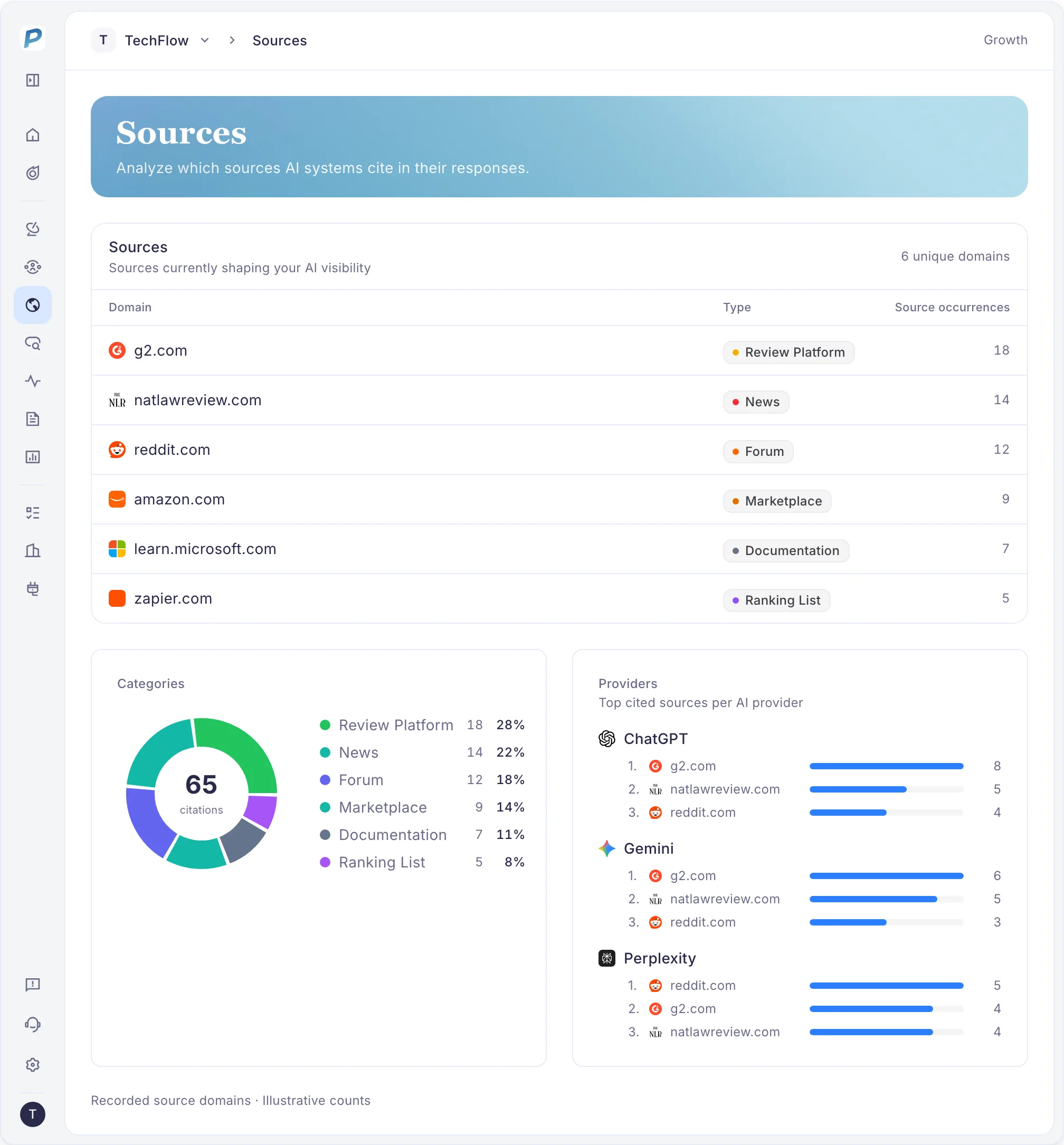
Example from the PromptScout application.
Recheck the claim after a correction
Repeat the original search under the recorded conditions after the page owner confirms an edit. Check whether the answer still makes the disputed claim and whether the revised page appears among the displayed links. A source can change while the description stays the same, or the description can change while the source list stays similar. Record both observations.
For a client report, use a sentence like: “The linked review still describes the old integration limits. We sent the publisher the current documentation; the correction is pending. We will recheck the same brand search after the page changes.” Once corrected, report the observed wording without attributing an isolated answer change to your request. Website visits and enquiries need their own measurement.
Notes on the data
Ahrefs analyzed US desktop results from July through September 2026. Its broader branded-keyword sample and separate panel of 100 exact brand-name searches are distinct. The headline rate refers to September 29, not the monthly average.
The anonymized PromptScout sample covers September 1–30, 2026 UTC: 169 eligible Google AI Overviews answers across 61 buyer questions and four tracked brands. Of these, 167 had usable source lists. Errors, unfinished brand analysis and no-overview results were excluded. A URL counted as the tracked website only when its hostname matched that website or its subdomains. The sample measures recorded URLs, not displayed citations, branded-search prevalence, factual accuracy or the effectiveness of corrections.