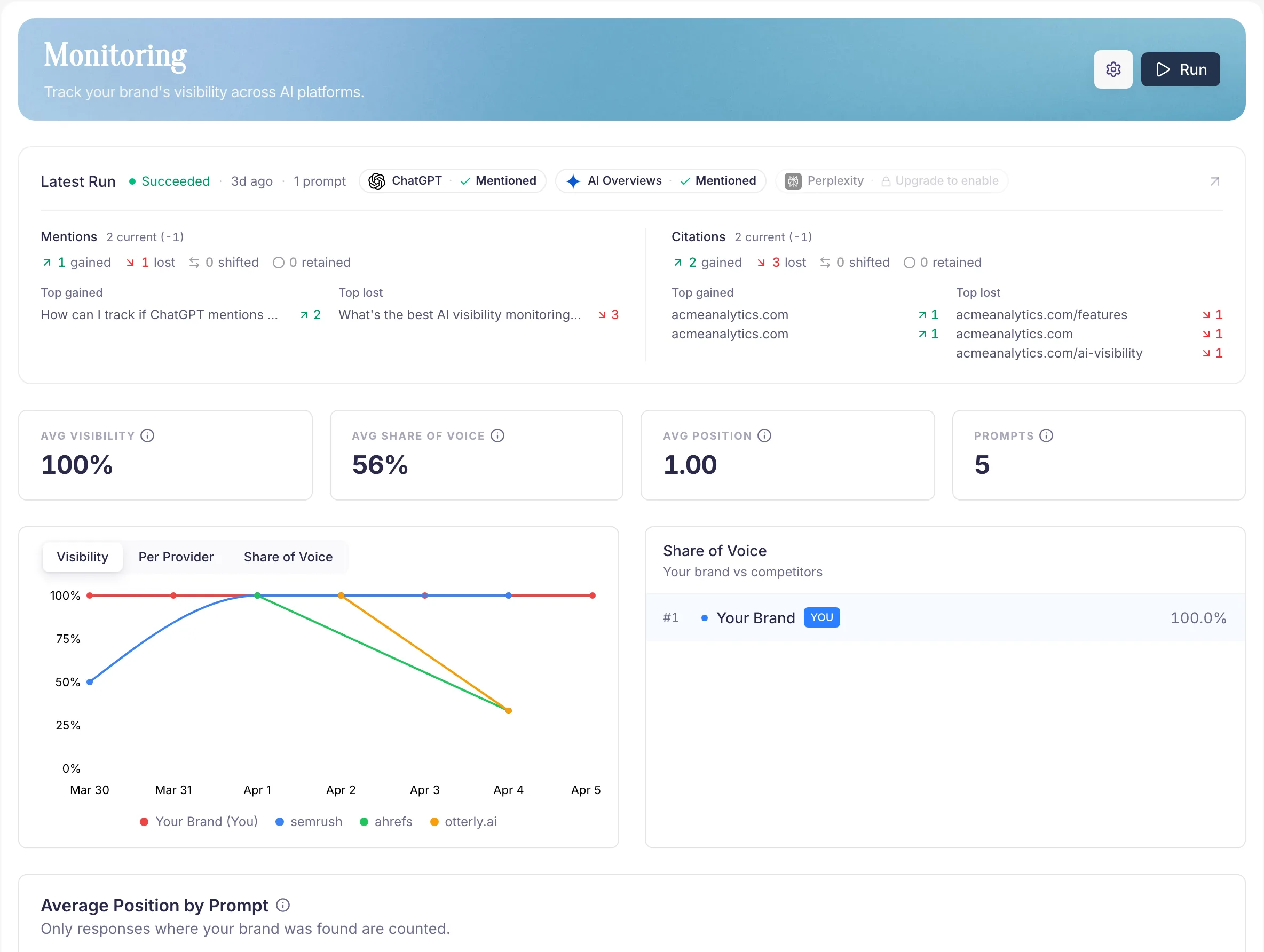
Check run coverage
Open Monitoring for the selected brand. Check the latest run status, completed providers, and next scheduled check. Open a completed run to inspect its prompt results.
Treat failed or missing provider responses as unavailable evidence. They cannot tell you whether the provider mentioned your brand.
Read a brand mention
- Open a prompt result.
- Read the provider's answer and the text around each extracted brand mention.
- Check which competitors appear in the same answer.
- Inspect source URLs and displayed citations when the provider supplies them.
A passing reference can count as a mention without being a recommendation. Keep the answer text beside the metric when reporting results.
Compare completed runs
Compare the same questions and providers across runs. Check mention rates, average positions, and competitor movement. If you edited the prompt set, account for that change before interpreting a trend.
Use Competitors to inspect recurring brands and Sources to review the URLs and page types attached to the answers.
Review after a change
After updating a page or completing an Opportunity, record what changed and when. Review the next scheduled results, then compare a suitable reporting window in Reports.
A later improvement is an observation. It does not establish that your change caused it. Monitoring frequency follows your plan; refreshing the page does not collect new answers.