
AI prompt suggestions fill your remaining prompt capacity
One click reads your website audit and proposes prompts across up to three intent groups, filling whatever capacity the brand has left. Every suggestion stays editable.
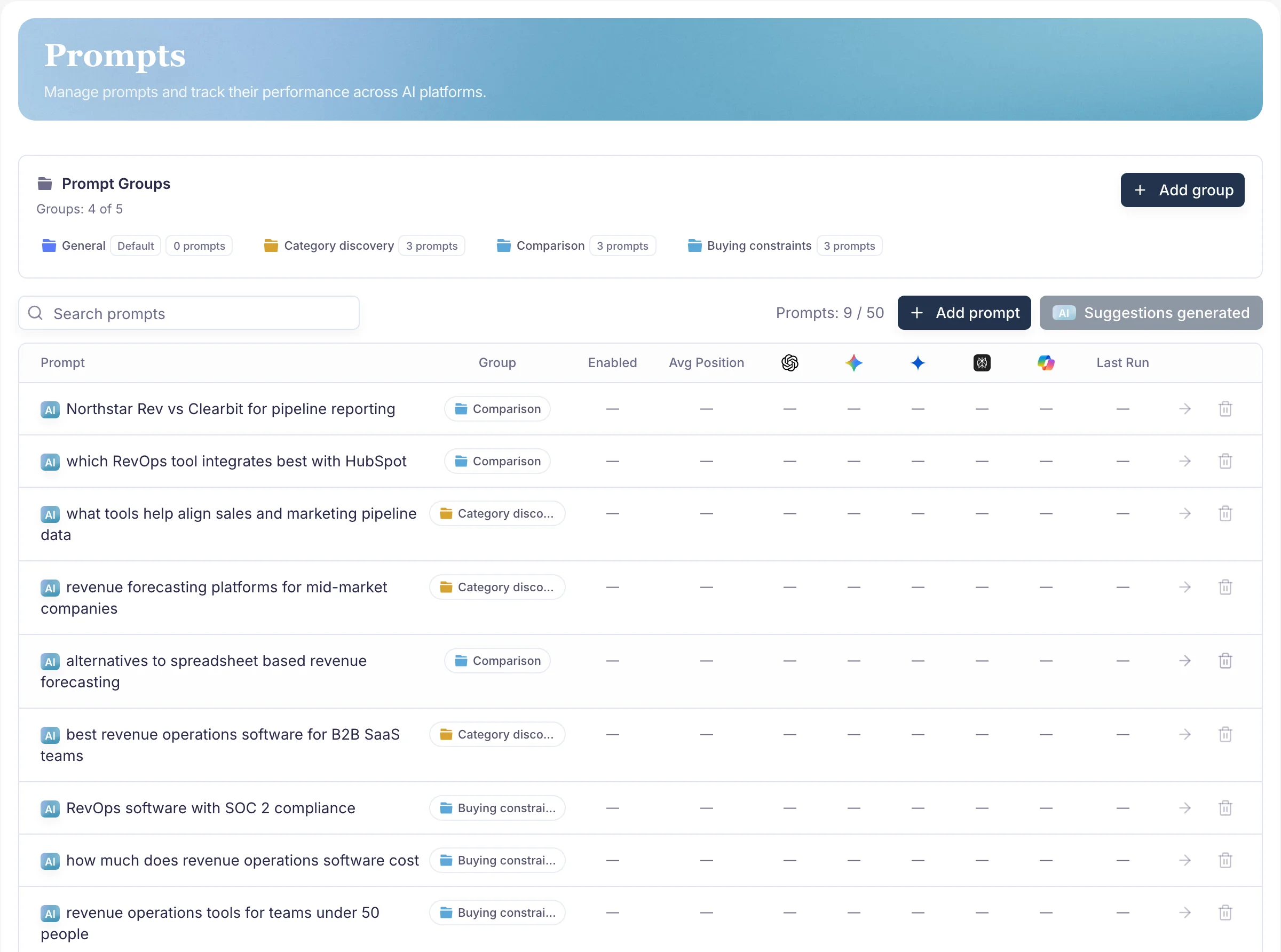
What changed
- One click fills the selected brand's remaining prompt capacity across up to three intent groups.
- Suggestions are built from your website audit and brand context, not from a generic template list.
- Generated prompts stay editable, keep a marker showing where they came from, and start no monitor run on their own.
Why this exists
The hardest part of setting up monitoring is the blank prompt list. You know your category, but writing twenty questions a buyer might actually type, spread across different intents, is slow work that most people do badly on the first attempt.
Growth, Pro, and Agency brands can now hand that first draft to PromptScout and edit from there.
How the prompts are built
Suggestions reuse your existing website audit and brand context rather than a generic category template, and they are spread across up to three intent groups so the list is not twenty variations of the same question.
The confirmation dialog tells you what it is reading, what you will get, and exactly how many prompts it will add before anything happens.
What it will not do
Generated prompts are yours to change. They stay editable and keep a marker showing they were generated, so you can tell your own wording from the suggestions later.
Nothing runs automatically. Generation adds prompts and stops, so no monitor run and no spend starts without you. Output is rejected before saving if it contains duplicates, incomplete sets, or your own brand terms, and a failed attempt inserts no filler prompts and can simply be retried.
The prompts table got easier to work in
Alongside this, prompt rows are more compact, the generated marker sits inline, and editing happens in the field rather than in a separate screen. Reviewing twenty suggestions is now a pass down a list instead of twenty round trips.