PromptScoutPromptScout
  • Pricing
  • Contact

Documentation

Foundations

  • Overview
  • Getting Started

Configuration

  • Brand
  • Prompts
  • MCP
  • Search data
  • Cloudflare Traffic
  • Vercel Traffic

Daily workflows

  • Weekly workflow
  • Monitoring
  • Competitors
  • Sources
  • Analysis
  • Website
  • Traffic
  • Reports
  • Content

Product resources

PromptScout blogPrompt tracking guideStart Now
Browse documentation

Foundations

  • Overview
  • Getting Started

Configuration

  • Brand
  • Prompts
  • MCP
  • Search data
  • Cloudflare Traffic
  • Vercel Traffic

Daily workflows

  • Weekly workflow
  • Monitoring
  • Competitors
  • Sources
  • Analysis
  • Website
  • Traffic
  • Reports
  • Content

Product resources

BlogPrompt trackingStart Now
Loading documentation
PromptScoutPromptScout

PromptScout shows whether AI answers mention your brand, recommend competitors, and cite your pages across ChatGPT, Gemini, Google AI Overviews, Perplexity, and Bing Copilot.

  • Follow on X (Twitter)

Product

  • Features
  • Pricing
  • Roadmap
  • What's New
  • How It Works
  • FAQ

Solutions

  • For Founders
  • For Agencies
  • For SEO Professionals
  • For Content Teams
  • For PR & Brand Teams
  • For Marketing Teams

Resources

  • Free AI Visibility Check
  • AEO & GEO Guide
  • Docs
  • Blog
  • Free Tools
  • AI Brand Checker
  • Prompt Tracking

Compare

  • vs Manual Tracking
  • vs Otterly.ai
  • vs Peec AI
  • vs Profound
  • vs GenRank
  • All Comparisons

Company

  • About
  • Contact
  • Support
  • Featured On

Microsoft and Bing Copilot are trademarks of the Microsoft group of companies. PromptScout is not affiliated with or endorsed by Microsoft.

2026 PromptScout. All rights reserved.

Privacy PolicyCookie PolicyTerms of Service
  1. Home
  2. /
  3. Docs
  4. /
  5. Brand

Configuration · Updated April 8, 2026

How to configure your brand in PromptScout

Use the Brand page to control how PromptScout identifies your company across AI responses and to keep the monitored brand record accurate.

On this page
  1. What the Brand page does
  2. Keep three things accurate
  3. When to update it
  4. Why it matters
  5. Next steps

What the Brand page does

It tells PromptScout exactly who you are — so it knows when an AI answer is talking about you, and not a similarly named company. This is the setup layer that keeps Prompts, Monitoring, and Reports trustworthy.

Keep three things accurate

  • Brand name — the short form customers actually use.
  • Primary domain — the site you want AI systems to associate with you.
  • Description — category, audience, and what makes you different, in plain buyer language.

When to update it

  • Your domain or product scope changes.
  • AI answers start confusing you with another company.
  • Prompt suggestions feel off-topic.
  • Website audits point at the wrong domain.

Why it matters

A clean brand record improves everything downstream: mention detection, prompt suggestions, competitor accuracy, source analysis, and long-term reporting. If the brand record is vague, pages like Competitors, Sources, and Insights become harder to trust.

Next steps

  • Review Prompts after a brand update.
  • Confirm crawl signals in Website.
  • Share the Brand Visibility feature page with teammates.
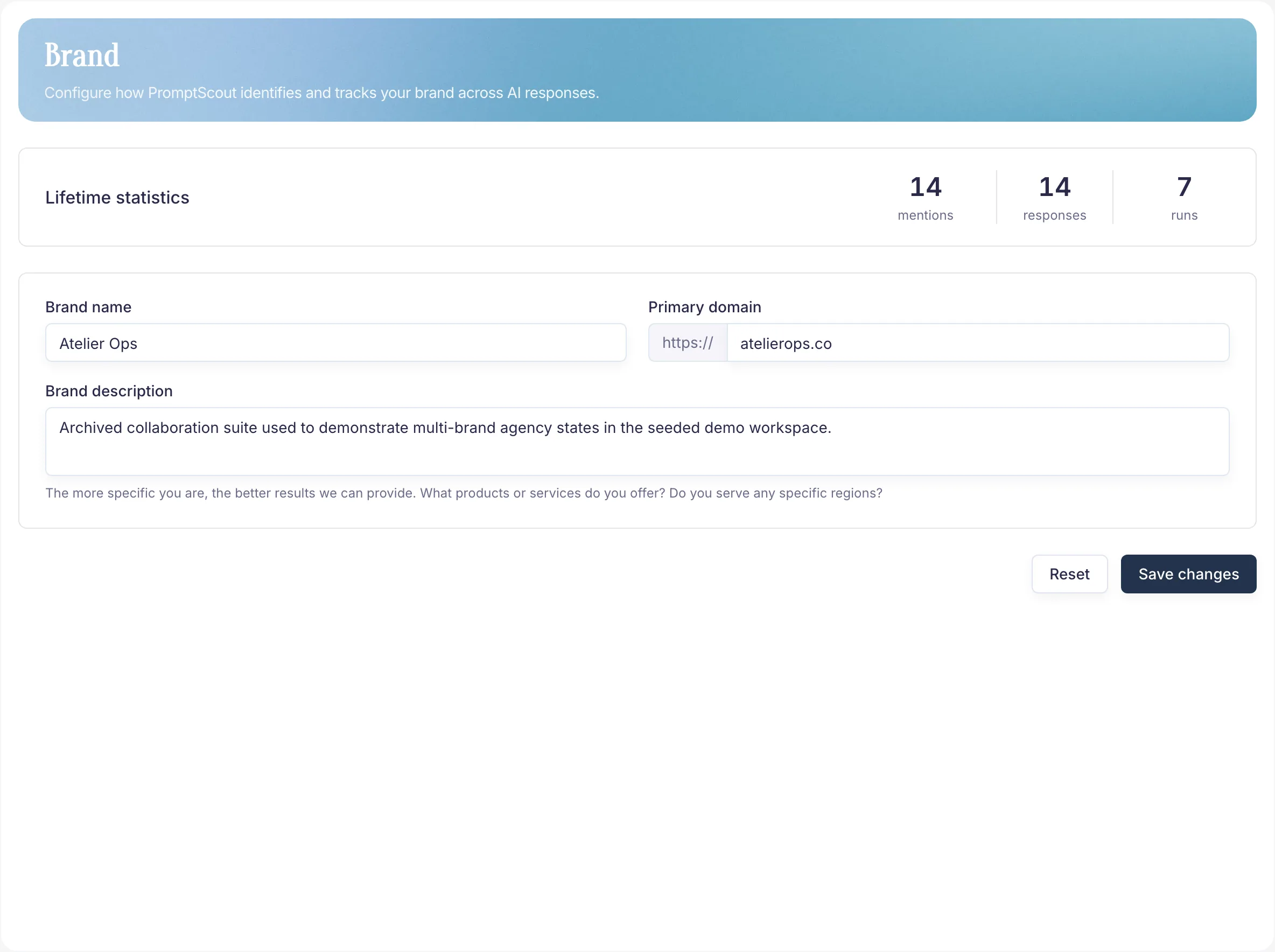
PromptScout brand setup and visibility configuration
Example from the PromptScout application. Open the image for detail.

On this page

  1. What the Brand page does
  2. Keep three things accurate
  3. When to update it
  4. Why it matters
  5. Next steps
AI Brand Visibility Score

Related guides

  • Prompts
  • Website
  • Overview
  • AI Brand Monitoring Platform
  • Why ChatGPT Is Not Mentioning Your Brand
  • AI Brand Visibility Score
PreviousGetting Started
NextPrompts

Track your own brand.

Start NowSee pricing