Browse documentation
ConfigurationUpdated April 8, 2026

How to manage prompts and prompt coverage

Use the Prompts page to keep monitored questions focused on high-intent buyer searches and to improve prompt-level coverage over time.

Related product page

AI Prompt Tracking

Track specific prompts and questions across AI platforms. Monitor how AI responds to queries relevant to your brand and industry.

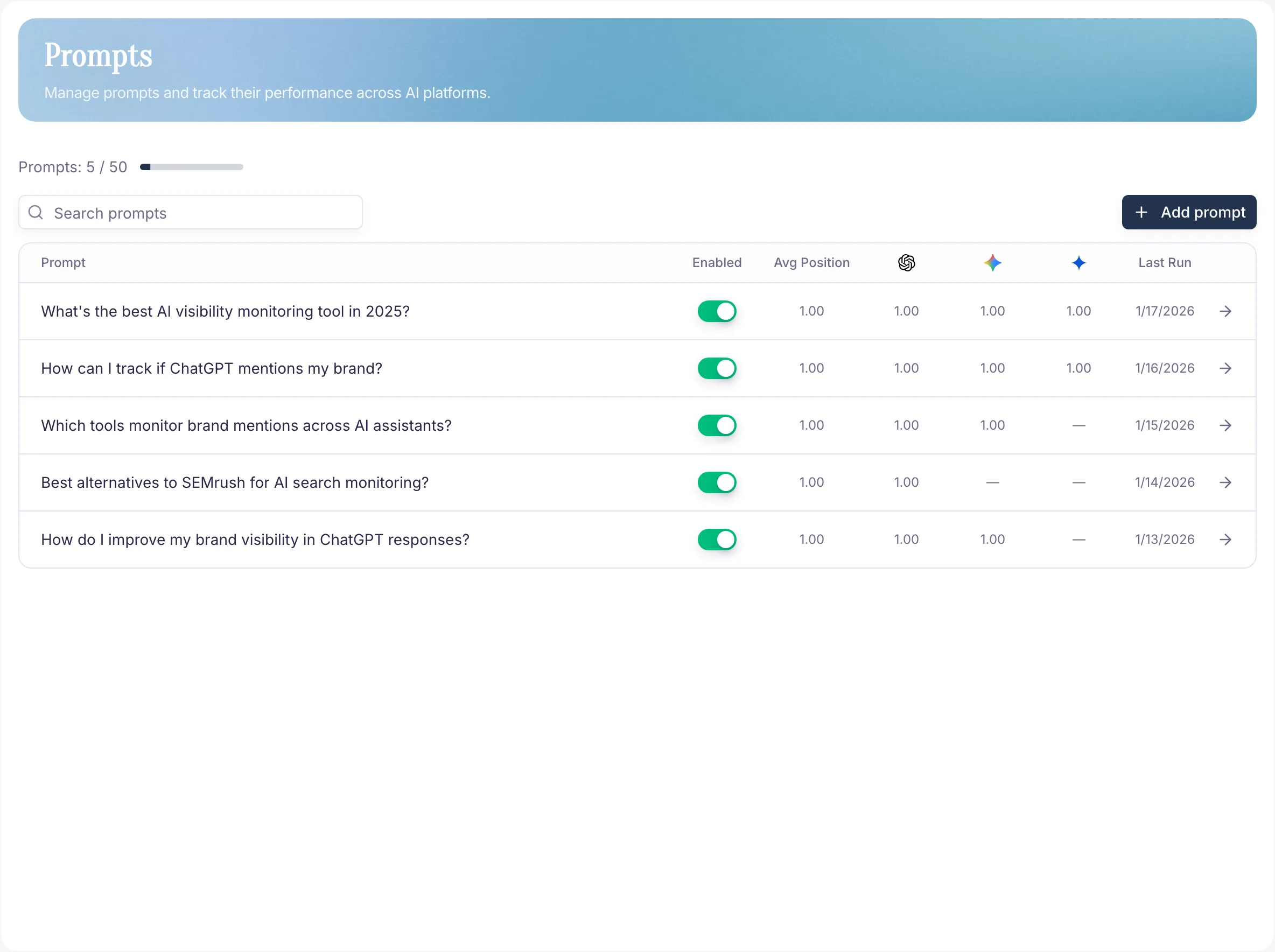
PromptScout prompts table showing tracked questions and performance columns

What prompts do

Prompts are the questions PromptScout sends to ChatGPT, Gemini, Perplexity, and others. They define the market situations you care about. Better prompts = better data in Monitoring, Competitors, and Reports.

What a good prompt looks like

  • Sounds like a real buyer question.
  • Has commercial intent — shortlist, compare, recommend, "best for…".
  • Is specific to your category, not generic knowledge.

Avoid prompts that are too broad, too academic, or disconnected from buying decisions.

Managing the list

The Prompts page shows each tracked prompt with average position, provider-level averages, and last-run time. From there you can shape the same prompt set that later powers Monitoring and Insights:

  • Add new prompts
  • Edit wording
  • Disable noisy ones
  • Review performance at a glance

Best practice

  1. Start with 5–10 focused prompts.
  2. After each run, keep the high-signal ones.
  3. Rewrite or retire prompts that return repetitive, low-signal answers.
  4. When positioning changes, add a few new prompts — measure before expanding.

Next steps

Related docs and next steps

Put this into practice

Use this workflow in PromptScout

Keep reading the docs, then run the workflow on your own brand data when you are ready.

Getting started guide

Move from setup to your first AI visibility baseline quickly.

PromptScout blog

Go deeper with practical AEO, GEO, and AI visibility playbooks.

Continue learning

  • Brand

    Documentation

    Use the Brand page to control how PromptScout identifies your company across AI responses and to keep the monitored brand record accurate.

  • Monitoring

    Documentation

    Use the Monitoring page to run monitors, inspect recent runs, and compare how your AI visibility changes across providers over time.

  • Competitors

    Documentation

    Use the Competitors page to compare share of voice, benchmark your brand against rivals, and spot which competitors are gaining traction in AI answers.

  • AI Brand Monitoring Platform

    Guide

    Track how ChatGPT, Gemini, Google AI Overviews, and Perplexity mention your brand over time.

  • AI Competitor Analysis

    Guide

    Measure share of voice in AI answers and benchmark competitors.

  • AI Citation & Source Tracking

    Guide

    See which sources AI assistants cite and where your authority can improve.