
Weekly Opportunities now show your next AI visibility actions
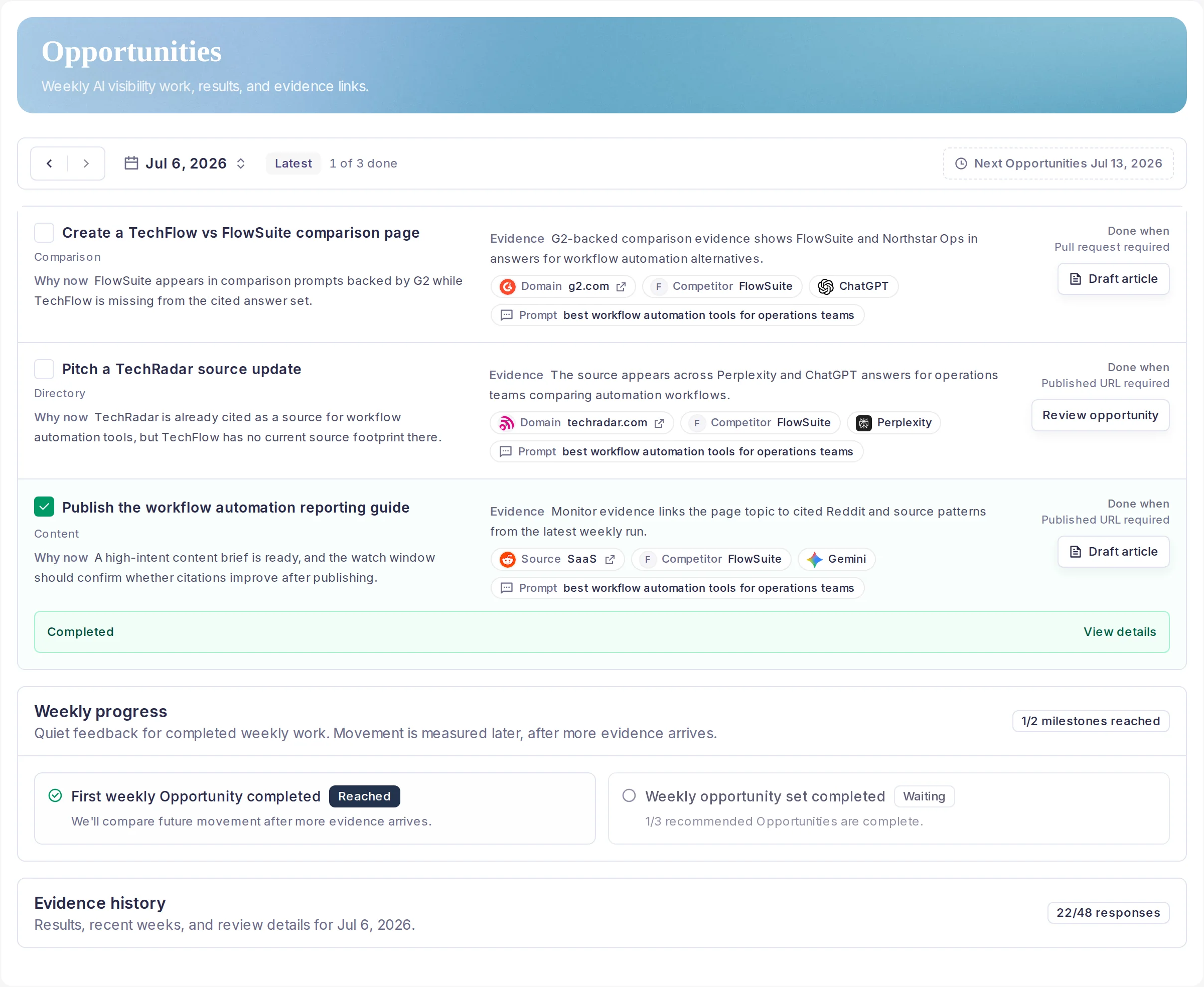
Weekly Opportunities turn monitoring evidence into a compact action list with visible priority context, evidence, and the next action for each item.
What changed
- Weekly Opportunities now keep priority reasons beside the work, so teams can see why a content, comparison, source, or technical action rose to the top.
- Each Opportunity stays attached to monitor evidence, provider context, competitors, sources, and prompt clusters instead of becoming a generic backlog item.
- Completion receipts and watch windows keep the workflow connected to Today, AI Visibility Changes, Content briefs, and later review.
Weekly Opportunities are the place to turn AI visibility monitoring into work. After a monitor run surfaces competitor movement, citation gaps, source patterns, or content opportunities, the workflow groups the highest-signal evidence into a short weekly action set.
The new Opportunities view makes that decision easier to scan: priority reasons sit next to the Opportunity, the evidence receipt shows the prompt, provider, source, and competitor context, and each row keeps the next action close to the work.
Use it during the weekly workflow after checking Today, Morning brief, and AI Visibility Changes. Pick the strongest Opportunity, create a Content brief when the evidence supports a page decision, log the completion receipt, then review the watch window on a later monitor run.