Browse documentation
Daily workflowsUpdated June 30, 2026

How to run the weekly PromptScout workflow

Use Today, Morning brief, AI Visibility Changes, Tasks, Content, Traffic, and Search data context as one weekly evidence-to-action loop.

Related product page

AI-Powered Visibility Insights

Turn monitoring evidence into Weekly Tasks across ChatGPT, Gemini, AI Overviews, and Perplexity with actions grounded in observed prompts and sources.

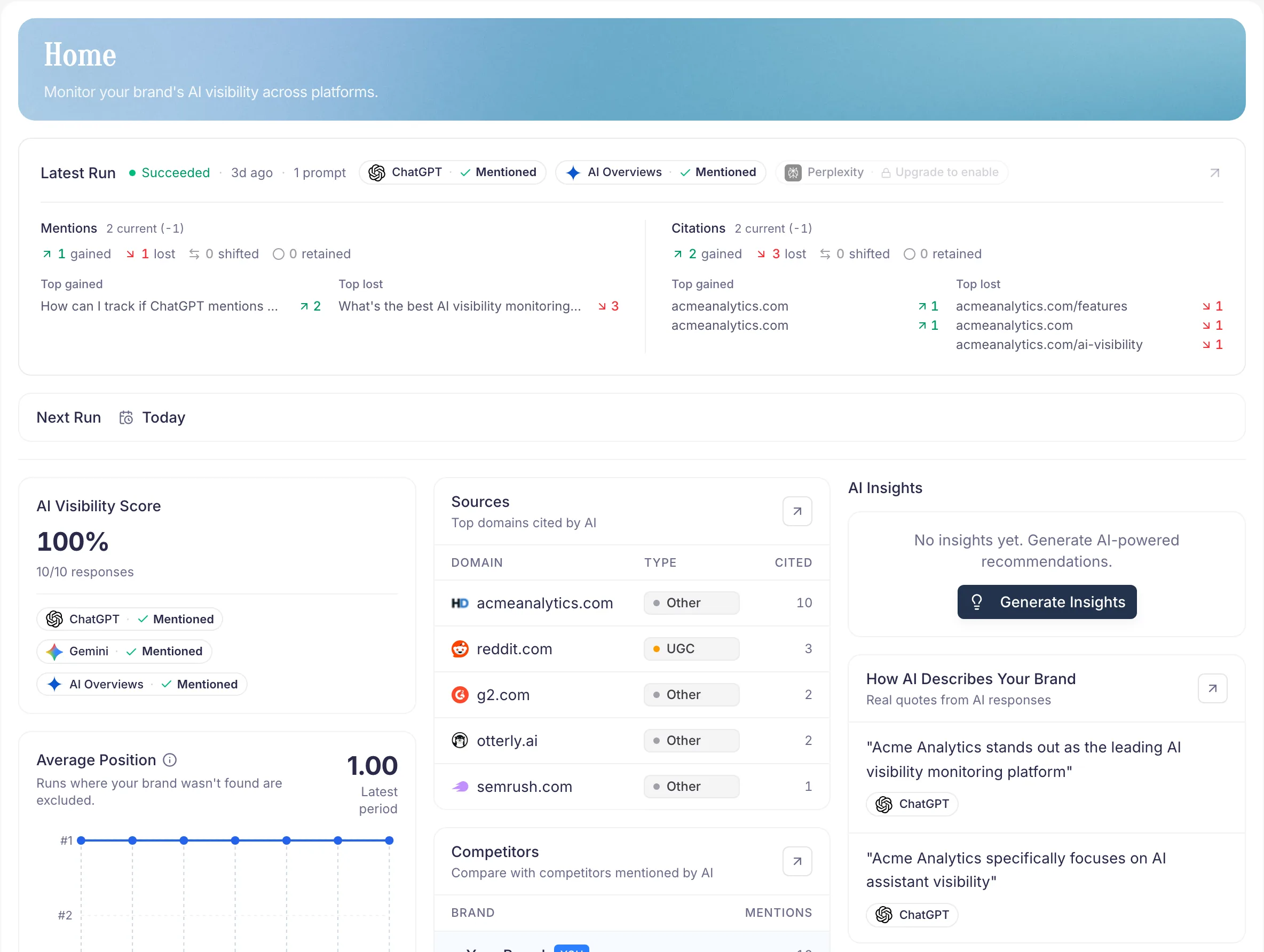
PromptScout Today view connecting Morning brief, AI Visibility Changes, Tasks, and workflow evidence

The weekly loop

PromptScout works best as a weekly evidence-to-action workflow:

  1. Configure the brand and prompts.
  2. Read Today.
  3. Inspect Morning brief and AI Visibility Changes.
  4. Complete weekly Tasks.
  5. Create a Content brief when a content or comparison Task has enough evidence.
  6. Log completion receipts.
  7. Review watch windows and observed movement.
  8. Use Traffic and Search data as context, not proof of causality.

The goal is not to chase every AI answer. The goal is to keep the same prompt, citation, source, website, Traffic, and Search context close enough that one weekly action can be chosen, completed, and reviewed later.

1. Configure brand and prompts

Start with Brand and Prompts. Use the brand name customers recognize, the domain you want AI systems to associate with the brand, and 5-10 buyer-style prompts that match real category, comparison, pricing, or evaluation questions.

Do not overfit the first prompt set. It needs to be stable enough for comparison, not exhaustive.

2. Read Today

Open Today first. It is the daily and weekly starting point because it groups the current state before you jump into raw surfaces.

Use Morning brief to understand the highest-signal summary. Then use AI Visibility Changes to inspect what moved: mention changes, competitor movement, source/citation changes, prompt-group movement, and warnings where samples are thin.

3. Complete weekly Tasks

Weekly Tasks turn evidence into a small action set. Treat them as the operating surface, not a generic backlog.

For each Task, check:

  • Why now — the observed prompt, provider, competitor, source, website, Traffic, or Search context that makes the Task worth considering.
  • Work — the concrete content, website, source, positioning, or distribution action.
  • Evidence — the citations, source patterns, prompt runs, website findings, or contextual data behind it.
  • Watch — the future window PromptScout should use when reporting observed movement.

Complete the work outside PromptScout, then return to the Task and log the completion receipt.

4. Create Content briefs when the Task supports it

Use Content when the weekly Task is a content or comparison Task and the prerequisites line up: monitored prompt evidence, generated evidence, a successful Website audit, and source or competitor evidence that points to one page decision.

Do not generate a brief just because the page exists. A useful Content brief should explain which page to build or improve next and show the prompt, website, and citation/source evidence behind the recommendation.

5. Log completion receipts

Completion receipts make later review possible. Add the completion note, URL, draft URL, or relevant artifact so the next weekly review can compare observed movement with the work that actually shipped.

Keep the language precise. A receipt says what changed and when; it does not claim the change caused later AI visibility movement.

6. Review watch windows and observed movement

After the watch window, review Today, AI Visibility Changes, and Reports. Look for observed movement in the same prompt groups, providers, citations, source categories, and competitor set.

Use cautious language:

  • "After the content update, this prompt group gained two owned citations."
  • "During the watch window, competitor mentions stayed flat while our mention rate improved."
  • "No durable movement observed yet."

Avoid stronger claims unless the evidence supports them.

7. Use Traffic and Search data as context

Traffic can show AI referral visits, AI user fetches, and crawler events reaching the site after the collector is installed. Search data is the Growth+ Google Search Console foundation for query and page context, currently framed as beta/foundation until Search Analytics sync, read models, and UI are fully shipped.

Use these signals to prioritize and interpret work:

  • A content Task tied to a page with search demand may deserve priority.
  • An AI referral visit can show that a browser landed from supported attribution, not that a specific AI answer recommended the brand.
  • An AI user fetch or crawler event can show machine access, not a human visit.
  • Search impressions and clicks can help size a topic, not prove AI visibility causality.

Next steps

  • Review citation evidence in Sources.
  • Generate a brief only when prerequisites align in Content.
  • Classify request observations carefully in Traffic.
  • Check Search data beta boundaries in Search data.

Related docs and next steps

Put this into practice

Use this workflow in PromptScout

Keep reading the docs, then run the workflow on your own brand data when you are ready.

Getting started guide

Move from setup to your first AI Visibility Check quickly.

PromptScout blog

Go deeper with practical AEO, GEO, and AI visibility playbooks.

Continue learning

  • Overview

    Documentation

    Get oriented in PromptScout and see how Today, Morning brief, AI Visibility Changes, Weekly Tasks, Traffic, monitoring, competitors, sources, website checks, and reports help improve visibility.

  • Sources

    Documentation

    Use the Sources page to see which websites, documents, and communities AI systems cite when they recommend brands in your category.

  • Content

    Documentation

    Use the Content page to turn aligned prompt, website, insight, and source evidence into one saved brief for a concrete page decision.

  • Traffic

    Documentation

    Track AI referral visits, AI user fetches, and crawler events with PromptScout Traffic beta, then use Integrations to connect your website collector.

  • Search data

    Documentation

    Understand the current Google Search Console foundation for Growth+ teams and how to use Search data as context without overclaiming shipped analytics.

  • AI Visibility Reports

    Guide

    Turn monitoring results into weekly visibility reports for trends, competitors, and sources.

  • AI Brand Monitoring Platform

    Guide

    Track how ChatGPT, Gemini, Google AI Overviews, and Perplexity mention your brand over time.