
Opportunities now point to relevant community discussions
See the discussion connected to a buyer question, why it surfaced in AI answers, and what a useful contribution should cover.
What changed
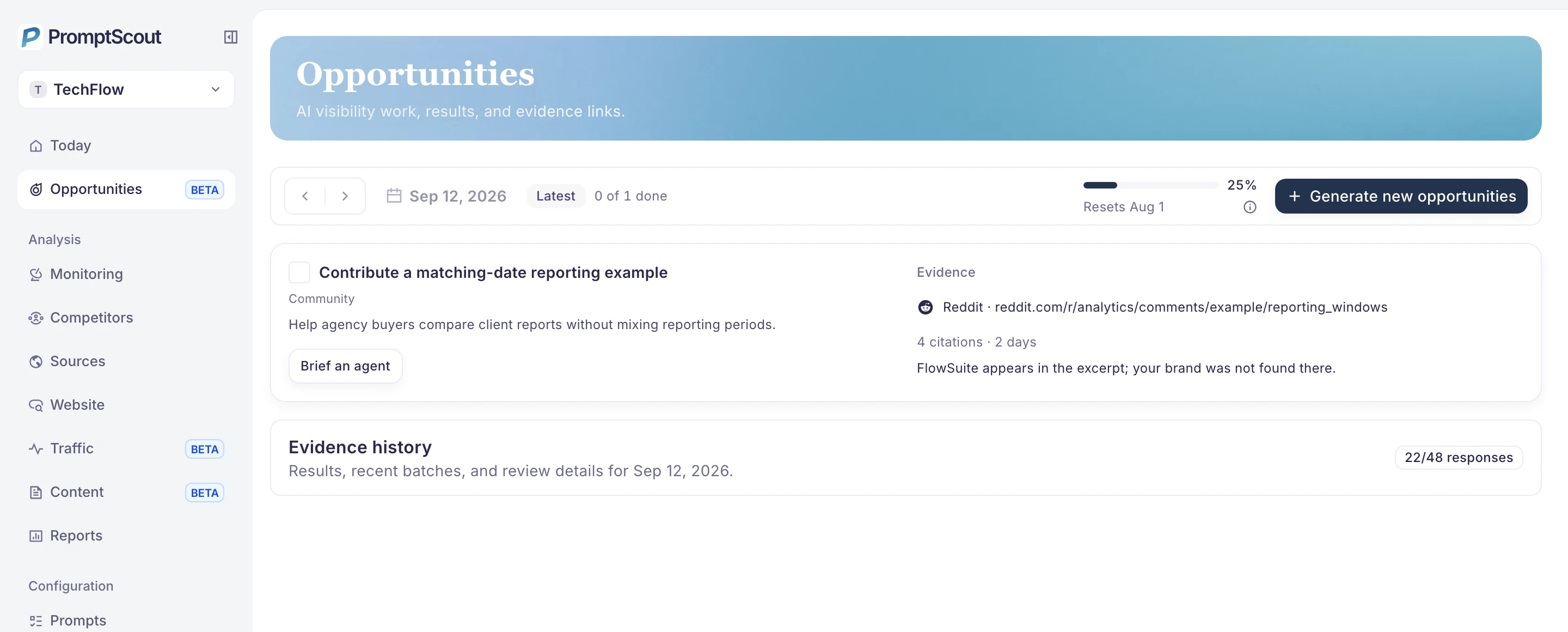
- A community Opportunity can name the specific discussion connected to a question you track.
- Source and answer evidence sit beside the proposed action, so you can judge whether the conversation is relevant.
- A connected agent can receive a focused brief while your team keeps the decision to post.
See where the question is being discussed
When an AI answer returns a community thread as a source, PromptScout can connect that thread to the buyer question you monitor. The Opportunity shows the destination and the evidence that brought it forward. You can open the discussion and decide whether your team has something useful to add.
The work is tied to one question and one place where people are already discussing it.
Give your agent a useful assignment
Use Brief an agent to pass along the target, relevant evidence, and a bounded assignment. The handoff says what the response should explain and which claims need checking. For a community contribution, your team reviews the thread, discloses its affiliation, and posts the final response.
Record the contribution and revisit the answers
After posting, record the contribution with the Opportunity. On later runs, compare answers to the same buyer question and inspect whether the source or brand wording changes. A cited thread identifies a place worth reviewing; it does not promise that a reply will be seen or cited.