
PromptScout MCP support is now in beta
Growth teams can now connect MCP clients to PromptScout through OAuth and use brand context, prompts, Opportunities, and provider setup from their agent workflow.
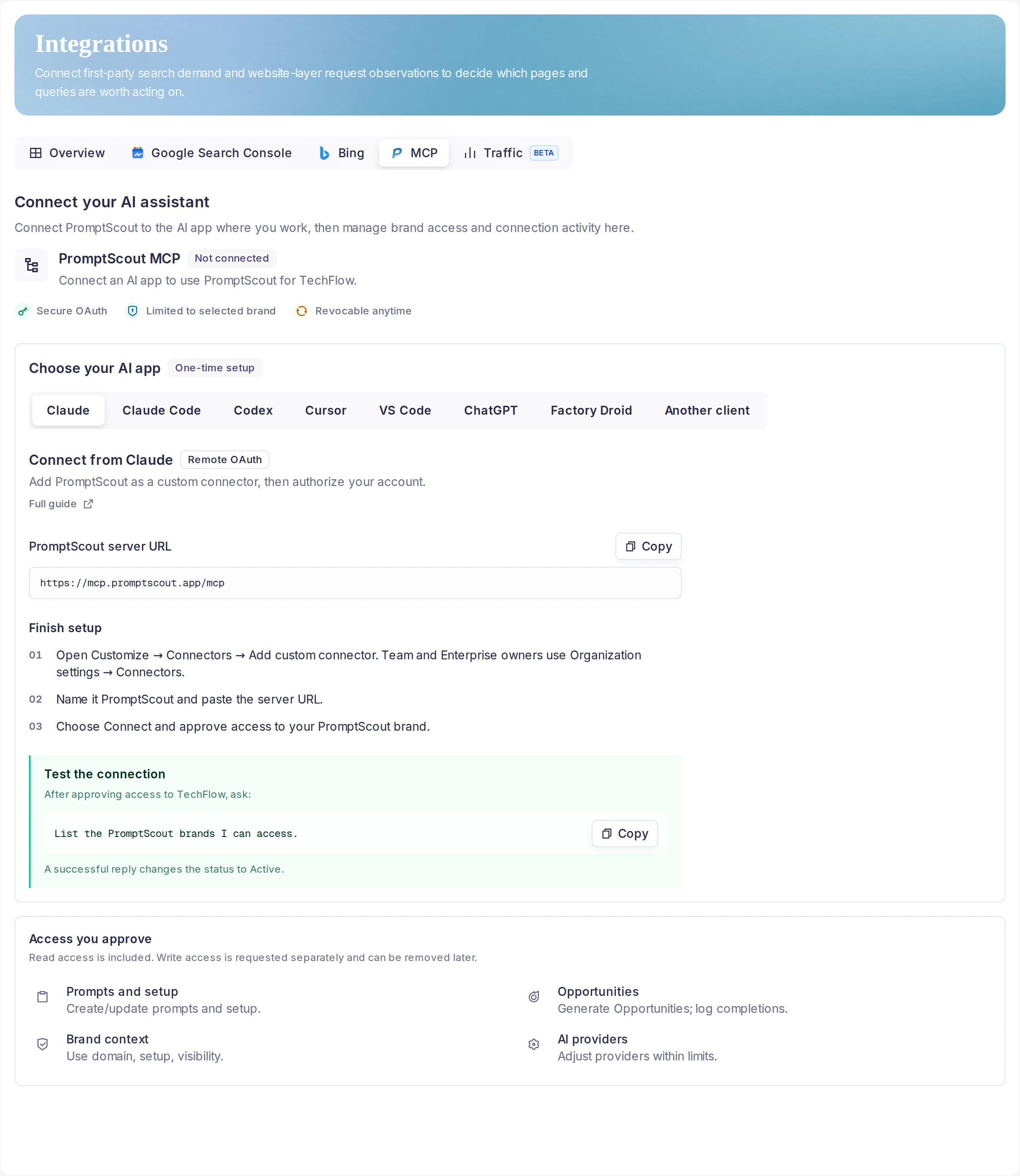
What changed
- Hosted MCP is now visible from Integrations for eligible teams in beta.
- The connection uses OAuth instead of manual tokens, with access limited to the selected brand and revocable from PromptScout.
- Connected clients can work with prompts and setup, Opportunities, brand context, and AI provider settings within the approved grant.
PromptScout MCP support is now available in beta for eligible teams. Add the PromptScout MCP server URL in a compatible client, complete OAuth, and keep the connection tied to a single brand.
The Integrations screen now shows the MCP server URL, secure OAuth status, brand-limited access, and revocation. Once a client is connected, the same screen shows the client name, authorization date, last-used state, and a Revoke action.
The beta is designed for agent workflows that need PromptScout context close to the work: managing prompts and setup, generating and completing Opportunities, reading brand context, and adjusting provider settings within the approved limits.