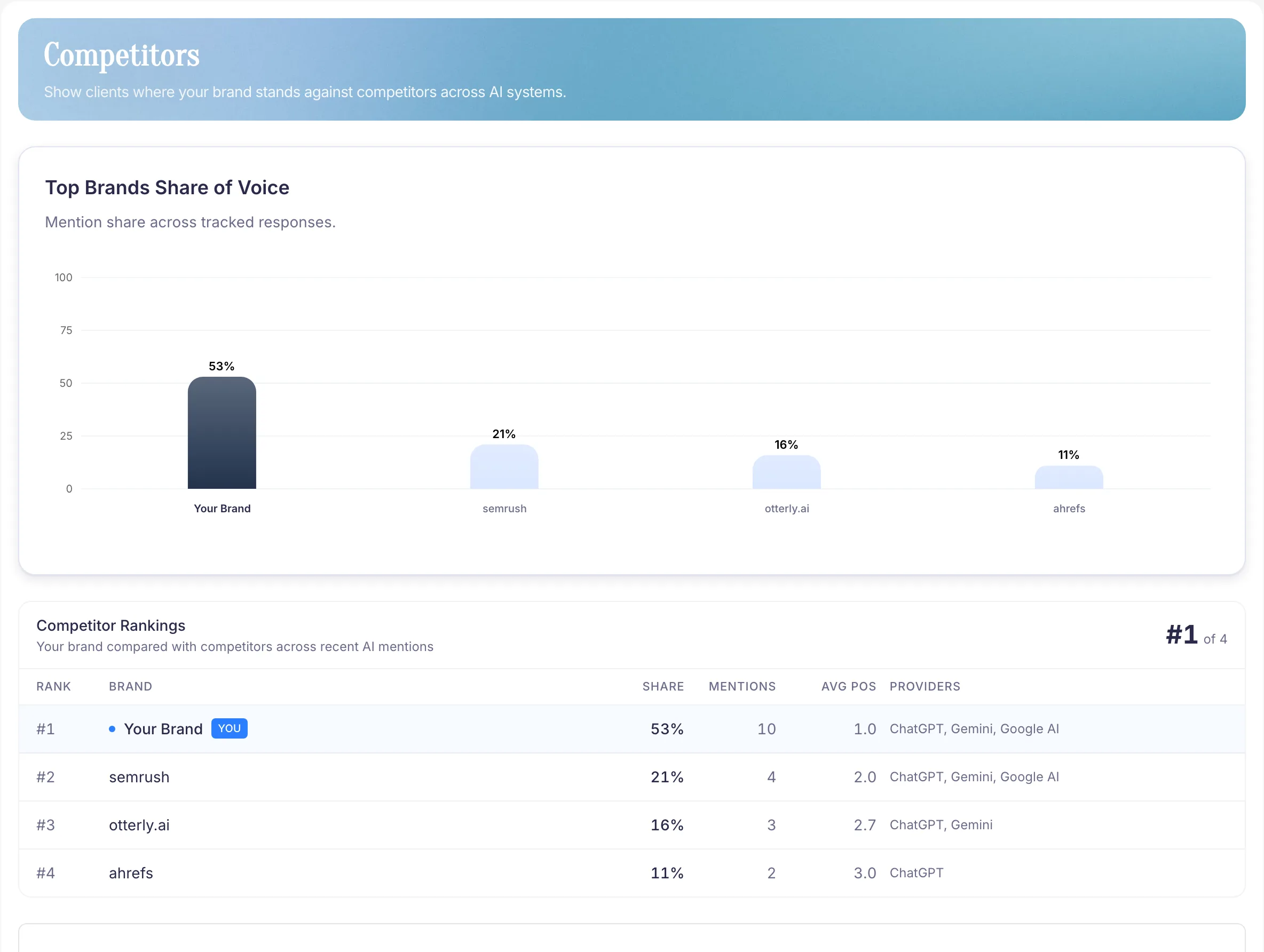
Read the competitor results
Competitors compares brands found in your collected AI answers. The leaderboard and share of voice describe that prompt set and reporting window. They do not represent every AI answer in your market.
Recurring competitor comparisons are included from Starter.
Inspect a competitor
- Check the selected brand, time window, and provider coverage.
- Compare competitor mentions, average positions, and share of voice.
- Open relevant answers to read how the provider described each brand.
- Check whether the pattern repeats across questions or completed runs.
A single appearance is still an observation worth inspecting. Repeated appearances provide more context for choosing which competitors to follow.
Compare the language and sources
Open Sources and review Competitor language to watch. Generated analysis extracts positioning attributes and phrases when the answers contain them. These can describe audience, use case, price, or product qualities.
Inspect the returned pages and displayed citations beside the answer. A cited page does not prove why the provider recommended a competitor.
Choose follow-up work
If a competitor's description addresses a buyer question your own page leaves unanswered, review that page for a specific missing claim or explanation. Growth and higher can use Opportunities and Content Briefs to organize supported work.
Competitor analysis uses monitored answers. It does not scan competitor websites or produce page-by-page website diffs. Use Website for your owned-domain audit.