Browse documentation
FoundationsUpdated April 8, 2026

How to get your first PromptScout baseline

Set up your first brand, review suggested prompts, run an initial monitor, and establish a usable AI visibility baseline you can improve over time.

Related product page

AI Brand Visibility Score

Track your brand's visibility score across AI platforms. Measure how often AI systems mention your brand and how that changes over time.

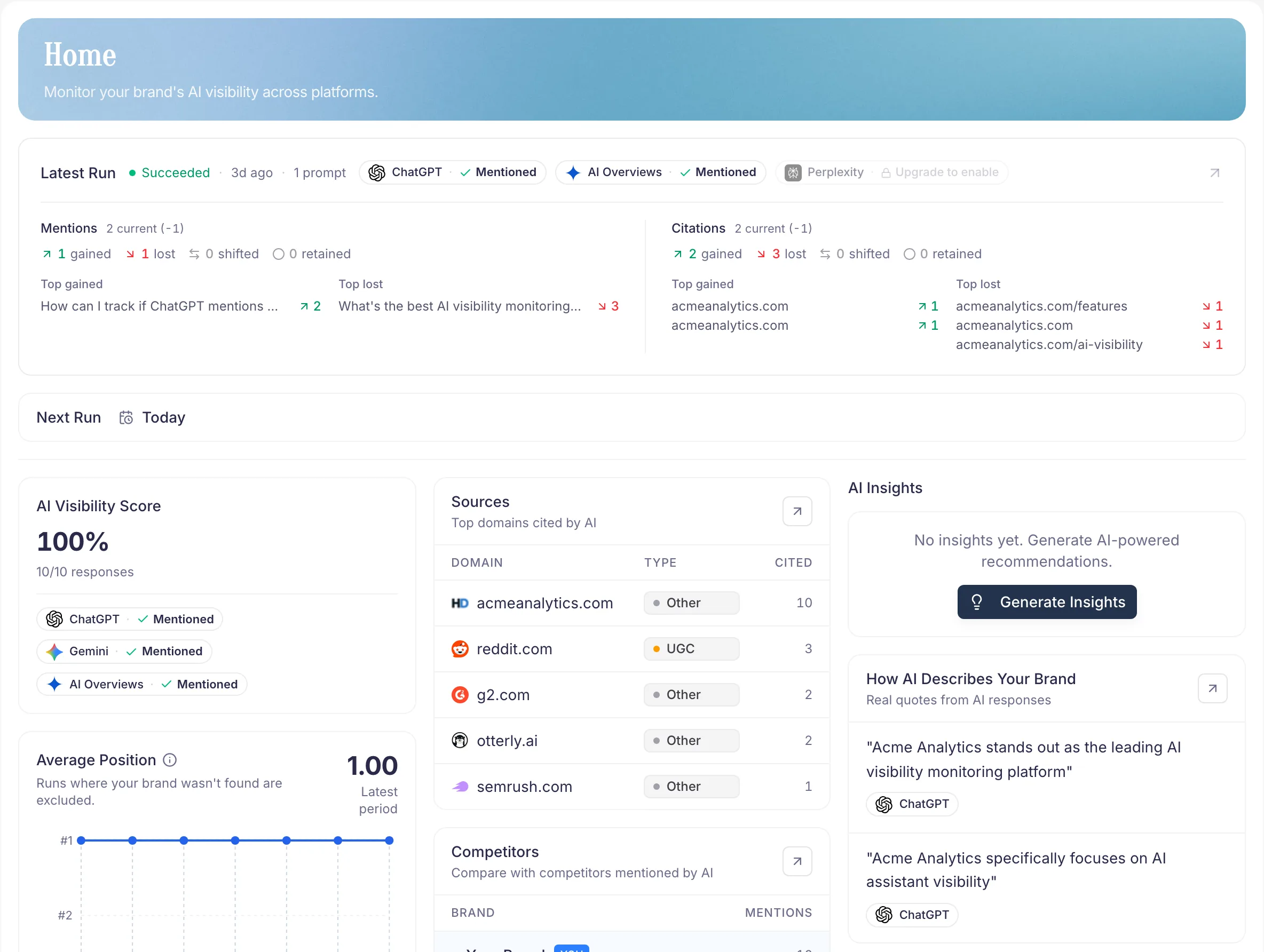
PromptScout setup flow leading into a first visibility baseline

Your first baseline in 4 steps

  1. Add your brand — name, primary domain, short description in Brand.
  2. Review suggested prompts — keep the ones that sound like real buyer questions in Prompts.
  3. Run your first monitor — across the supported AI providers.
  4. Review the results in Monitoring. That's your baseline.

What makes a good first setup

  • Use the brand name customers actually recognize.
  • Point to the domain you want AI systems to associate with you.
  • Write a specific description: category, audience, what makes you different.
  • Pick 5–10 focused prompts, not 50 edge cases.

How long does it take?

A first baseline run usually finishes in a few minutes. Don't over-configure on day one — you can refine everything once you see real data in Monitoring and Sources.

What to do with the baseline

Don't judge it yet. Use it as your reference point. Every future run compares against it, so you can prove whether content, site, or positioning changes actually moved the needle in Reports.

Next steps

  • Tighten your brand profile in Brand.
  • Refine the questions you track in Prompts.
  • Review your first real run in Monitoring.

Related docs and next steps

Put this into practice

Use this workflow in PromptScout

Keep reading the docs, then run the workflow on your own brand data when you are ready.

Getting started guide

Move from setup to your first AI visibility baseline quickly.

PromptScout blog

Go deeper with practical AEO, GEO, and AI visibility playbooks.

Continue learning

  • Brand

    Documentation

    Use the Brand page to control how PromptScout identifies your company across AI responses and to keep the monitored brand record accurate.

  • Prompts

    Documentation

    Use the Prompts page to keep monitored questions focused on high-intent buyer searches and to improve prompt-level coverage over time.

  • Monitoring

    Documentation

    Use the Monitoring page to run monitors, inspect recent runs, and compare how your AI visibility changes across providers over time.

  • Why ChatGPT Is Not Mentioning Your Brand

    Guide

    Diagnose why your brand is missing in AI answers and follow a practical recovery plan.

  • PromptScout Workflow Overview

    Guide

    See how brand setup, prompts, monitoring, sources, insights, and reports connect.

  • AI Brand Monitoring Platform

    Guide

    Track how ChatGPT, Gemini, Google AI Overviews, and Perplexity mention your brand over time.